Showing posts with label computer. Show all posts

Sunday, December 5, 2010

Video Games Companies Look for a Bigger Piece of the Pie

    Gamespot reported back in September that the 9th Circuit Court of Appeals made a decisions that could hurt many video game owner and retailers. 
    The article stated:
    The court overturned a May 2008 decision by the US District Court for the Western District of Washington in the case of Vernor v. Autodesk. The original decision stated that Washington resident Timothy Vernor was within his rights to sell a sealed copy of Autodesk's AutoCAD design software he got at a garage sale on eBay.
    Though the copy of the software was sealed, Autodesk's EULA--which was not visible externally on the retail box--said that the software is only licensed to purchasers, not actually sold. It also said that the license cannot be transferred, so after purchase, the software had to be destroyed if not used.
   The article goes on to say:
    Tech blog Ars Technica pointed out that the EULAs used by Electronic Arts and many other publishers have similar language in their games. "This software is licensed to you, not sold," reads EA's EULA. "Access to the software requires software registration with the serial code enclosed with the software. Software registration is limited to one EA Account per serial code and is non-transferable."
   The EA EULA is for a PC game, which typically requires acceptance of such terms to play. However, comparable wording can also be found in console game manuals, such as that of Take-Two Interactive's recent hit Red Dead Redemption.
    "THIS SOFTWARE IS LICENSED, NOT SOLD," reads the license agreement on Red Dead Redemption. (Capital letters in original.) "You agree not to: (a) Commercially exploit the software; (b) Distribute, lease, sell, rent or otherwise transfer the software, or any copies of the software, without the express consent of the licensor." (Emphasis added.)
Fourth Circle of Hell - Greed from Dante's Inferno
    This decision will put a big crimp in the used video game business.  Selling used video games is a several billion dollar a year industry.  The video game companies have always been unhappy about this loss in revenue.  After all why pay $50 for a new game when you can wait and buy the same game for $20 used?  This is just a move for video games companies who are making money hand over fist as it is.  (For example, the latest installment of the Halo series, Halo: Reach, made $200 million on launch day.)  These people don’t need the money.  They are basically squeezing out retailers that sell used games, like GameStop.  Even Best Buy and Target jumped on the used game bandwagon by giving in-store credit for bringing in used games.  I won't be buying video games anytime soon.  I want the freedom to sell my property.  After all, there are many free games and flash games to fulfill my gaming needs.

Wednesday, June 9, 2010

Safari Now Has Extensions!!!

    Yesterday at Apple’s annual Worldwide Developers Conference, Steve Jobs made several announcements, among them was Safari 5.  While this seems small to most in comparison to the release of the iPhone 4G and other stuff, it is a big deal because it heralds a feature that Safari has been lacking and lagging behind the rest of the browsers.  The big new feature is extensions.  You can download the new version of Safari for Windows here.

    Here is how to activate the extensions feature.  After you have downloaded and installed Safari, click on the gear button on the top far right and click Preferences.  Once the dialog box comes up, click the Advanced tab.  Select the “Show Develop menu in menu bar” checkbox.

Safari Advanced Tab

    Close the Preference dialog box.  Click the page picture next to the gear.  For the menu click “Develop” and then “Enable Extensions”.

SafariEnableExtensions     You now have extensions available.  To see the extensions installed, go back to the preferences dialog box and there will be a tab for “Extensions”.  (The reason that the example shows an extension installed and yours probably does not is because I install it.)

SafariExtensionsTab

        This extension feature is new and experimental, like I said, so Apple does not have a list of available extensions.  However, you can find a few here.  There are not many available because it is so new.  Let me know in the comments if how know of any other place that has extensions for Safari.  Have fun exploring.

SafariExtensionSite

Friday, August 14, 2009

Tech Disasters

I found these pictures all over the web.  These systems are in pretty bad shape.  Click each image to get a larger version.

sysadmin_day_39

sysadmin_day_40

sysadmin_day_117 sysadmin_day_126  sysadmin_day_79 sysadmin_day_106

Thursday, August 13, 2009

Tech Support Problems – cont.

While I have problems trying to teach people how to use technology, these are stories that I have collected from the internet and have nothing to do with me.

Story 1

One day a friend of mine called me up to tell me he was thinking of buying a computer. This guy is particularly sensitive to criticism and not to exactly in the upper eschelon of the IQ range, and personally I don't think he should own a programmable VCR much less a computer, but he's a good guy, so I said "good for you." The following conversation ensued:

  • Him: "Well I have a couple questions though, that I thought I should ask you, cause you know about those things, right?"
  • Me: "Yeah, ok, what do you want to know?"
  • Him: "Well...what one should I buy?"
  • Me: "What do you want to do with it mostly? Play games, word processsing (blah blah blah)...?"

Twenty minutes later....

  • Him: "Well, I think probably I should get a real fast one, you know, cause I want it to go fast so I don't have to wait for the Internet."

I proceed to explain, SLOWLY, about the difference between megahertz and modem speed, which takes another twenty minutes.

  • Him: "So how much is this going to cost me anyway?"
  • Me: "It all depends on what you want. Some stuff costs more.

(Now, let me say here that at the very begining of all this I had stated that neither a monitor nor a printer would come with a computer itself, unless you went for a package deal. He was, at this point saying that he wanted to spend about $500 and that everything had to be from the same manufacturer. This was when the 550 P3 had just come out, so prices were still higher than $500 for any system you could go buy in a Circuit City, which he said he HAD to do.)

  • Him: "Well, you know, I just want the basic stuff, a monitor, and a printer and a scanner, and maybe a camera, plus the stuff to make cards and print photos and all that, and the stuff to take care of paying my bills, and online."
  • Me: "Ok, well, you need to get a system first, then think about the extras. You really need to learn the basics first. A computer with a monitor and a printer is probably going to be a minimum of $800 to $1000, if you really want them all to be from the same company."
  • Him: "REALLY?! Well, ok, but I probably will need two printers, so it'll be more then, huh?"
  • Me: "What?"
  • Him: "Yeah, you can do that, right, hook up two of the same printer to one computer?"
  • Me: "Well...NO, you can't."
  • Him: "But I'll need to do that!"
  • Me: "No, really, you won't. Why do you think that?"
  • Him: "Ok, wait, I know, what about two computers? Can you do that? Can you hook two computers together?"
  • Me: "But...why? No."
  • Him: "But I am going to NEED that! You can't do that for me?!"
  • Me: "Ok, ya know what, what the hell are you talking about?!? No one ever NEEDS to do what you are talking about doing so why do you think you need to do this?!?"
  • Him: "Well, when I go to print out that manuscript I'm going to write, it'll probably be like 800 pages or so, so how am I ever going to get one printer to print that much, and one computer probably can't even hold that much in one thing right?"

Inside I was going ballistic at this point, and it did boil over, especially since there is NO WAY there is 800 pages worth of anything in this guy's head, but I explained that (a) one computer can in fact "hold" that much and a whole lot more, and (b) one printer (unless it is a huge Xerox or other office type industrial machine) CAN'T hold that much paper in one shot.

I hope that none of you nice tech support people never EVER get a call from this guy, because I guarantee you it will be the worst call you ever get in your life. You guys may all have to get together and dedicate a page to him, posting only his calls, just to vent your anger. He is the cupholder guy, the NOSMOKE.EXE guy, the guy who insists he "hasn't changed anything" when he really edited his AUTOEXEC.BAT and CONFIG.SYS to include lines like "and don't say I'm bad and an invalid," and the guy who has everything plugged in but nothing where it is supposed to be plugged in. He WILL have his powerstrip plugged into itself and will insist that it is NOT. May the force be with you all; you'll need it.

Story 2

  • Tech Support: "I need you to boot the computer."
  • Customer: (THUMP! Pause.) "No, that didn't help."

Story 3

Giving instructions on how to use Microsoft Word 7:

  • Me: "Type in a few words, or a test sentence."
  • Secretary: (skeptically) "With what?"
  • Me: "The keyboard."
  • Secretary: "The what?!?"
  • Me: "Keyboard. The jobbie in front of you with the keys on it."
  • Secretary: "Oh. That."
  • Me: "Yeah, it works like a typewriter."
  • Secretary: "I don't understand. (types a few words) "Oh! Hey! It works just like my typewriter!"
  • Me: "Uh-huh..."

Story 4

A teenage lad and his mother called in to our shop and approached me. The mother announced her son needed a virus killer for his computer. The Atari ST had been out a year or two, and Amiga computers were rapidly gaining popularity at the time, and both machines had viruses being passed around on floppy disks. So we asked the son which of those computers he had. He muttered to his mother again, and she announced her son had an Amstrad 464 -- which only had a built-in cassette deck and no floppy drive whatsoever. After we explained that it was the more modern computers which had floppy disk drives that got viruses, the mother calmly stated that the virus had been on his friend's new ST computer and that her son and his friend had played a few games on it. The virus had passed from the friend's computer directly to her son, and thence, later that evening, from her son to his aforementioned Amstrad 464!

Boggling, but still polite, we patiently explained that although computer viruses existed, they could not be "caught" by human beings and passed on to other computers by physical contact. The word "virus" was, we told her, slang that referred to hostile code that replicated itself when a disk was inserted into a computer, not an actual biological virus. Her son's computer probably had just gone faulty and needed a repair. Smiling smugly, and after informing us her son knew about computers (and that we didn't), they left the store to search for more computer-savvy tech support.

Tuesday, May 19, 2009

I Hate Tape Drives

Recently a tape drive broke down.  I realized one thing: I hate tape drives.  I’m not saying this to be funny, I officially hate tape drives.  They are harder than hell to get working.  It it hard to find drivers for, especially for Windows NT 4.0.  We go through these things like crazy.  The darn things keep breaking down because there are so many moving parts. 

tapedrive

I am looking forward to the day that computer hardware does not have any moving parts.  This means that they will last longer and will not have to be replaced as often.  But until then, we have to suffer through … tapes drives.

Sunday, March 29, 2009

Computer Horror Stories – Part 1

Story 1

I used to be a technician on the U.S.S. Ranger, an aircraft carrier, just before the Gulf War. A new commanding officer had just come on board, and, in preparation for our excursion out to Iraq, he ordered that we go through all our spaces and ensure that everything was secured in place, so that if we hit rough seas, or hit something explosive, there wouldn't be debris flying everywhere. Fairly standard routine.

About two days later, the Ranger's marine detachment called my shop and said, "Our computer is broken." So I head down to the detachment office to take a look. These PCs were the old Zenith Z-248 desktop models, secured with four zillion screws and weighing in at what seemed like half a ton. Our marines had taken the order to secure things pretty seriously, because they had done it with two half inch lag bolts. They had drilled straight through the case, the mother board, the bottom of the case, and the desk it was sitting on, to drop the lag bolts in place.

They couldn't figure out what was wrong, but they knew that it wasn't going anywhere.

Story 2

Fact: Boston Computer Museum sells chocolate bars shaped like floppy disks.

Fact: Three year old kids see daddy boot his computer using a floppy to play games.

Fact: Computers are warm inside...even some quite expensive computers.

I don't want to talk about it.

Story 3

I worked at a photo lab in New Mexico. Part of my job was outputing digital files to a film recorder. Everyone there was friendly, except for one woman who never seemed to like me. After a few months I asked my boss about it. He told me that before I got there, they had tried to train her to do the digital output. They even paid for her to go to a class to learn about computers. She was the only student in the class who managed to get a floppy stuck in the drive upside down and backwards. The teacher had to disassemble the machine to get the disk out. She told him she had to pound it with the heal of her hand to get the disk to go in. After that, the photo lab decided she probably wasn't the one for that position. She always resented the fact that I had 'her' job.

Story 4

  • Tech Support: "Hello, tech support, may I help you?"
  • Customer: (in a thick Russian accent) "Yes. Monitor is working fine but has sparks and smoke flying out back. Is ok?"
  • Tech Support: (blink)

Story 5

  • Customer: "There are smoke and flames coming from my computer."
  • Tech Support: "Uh, hang up, unplug the computer from the wall, and call the local fire department."
  • Customer: "That's not the problem. I need to know how to do a backup. Fastest possible method."

Friday, March 27, 2009

Stupid Tech Support Calls – Part 2

Story 1

An man purchased a laptop from me. He called about a week later and said that it would no longer boot up. He brought it in, and I discovered that sixteen nicely drilled holes were in the bottom of the case. I asked him about it, and he said the machine was too hot sitting on his lap, so he had drilled these "air holes."

"Could that be the problem?" he asked.

Story 2

One day a customer called complaining that he just received his computer, but it won't turn on. When he first pushed the power button, the screen flashed and then everything died.

I couldn't do much over the phone, so I went to the customer's office. It was plugged in, everything was hooked up ok, but, sure enough, it refused to turn on. I decided to take it back and promised to deliver a new one as soon as possible. But when I went to pick it up, I couldn't.

Fearful of thieves, the man had fired some 24 inch bolts straight through the box, through the hard drive, motherboard, everything, locking it to his desk.

"Oh," he said, "I thought it was just the TV part that was important. Will my warranty cover this?"

Story 3

  • Customer: "I need a new modem."
  • Tech Support: "What's wrong with your current modem?"
  • Customer: "The Internet light is not on."
  • Tech Support: "Did you reset your modem recently?"
  • Customer: "Yes I did, but what does it have to do with it?"
  • Tech Support: "Well, resetting the modem wipes out your configuration profile, so we just need to reconfigure it."
  • Customer: "Did you not hear me? The modem is broken, and I demand a replacement now!"
  • Tech Support: "The modem is not broken. If you are willing to, we can configure it in about 2 minutes."
  • Customer: "I want a new modem!"
  • Tech Support: "We can't replace modems over a simple reconfiguration issue. All we have to do--"

CRASH.

  • Customer: "Now it's broke! Replace the thing already!"
  • Tech Support: "Ok sir, we cannot replace a modem that you destroyed, and your modem is past warranty, so you'll have to buy a new one anyway."
  • Customer: "!*#$(*@#%!@&#$&*(!@#*$!@*^!@#$@" (Click.)

Story 4

While I was at college (back in the days of Archimedes computers), I often helped to teach new users the ropes while the teacher concentrated elsewhere. This one sweet girl was very new, and I didn't mind that she had no concept of the mouse, the screen, and whatnot -- she soon got good enough that I could leave her to do some task and help someone else. Pretty soon, however, she was tugging on my chair, and when I went to see what was going on, she said, "My bracelet is stuck in there."

Eh?

It was wedged into the floppy disk slot. Why? Apparently, the bracelet was annoying her when she typed, so she took it off. She found a small slot on the computer with a happy little door on it and just went ahead and shoved it in. Tech support had to rescue it by taking the thing apart.

Story 5

A customer had bought a computer from us about a year ago and a Voodoo 3 card just yesterday. He took it home and tried to install it but couldn't, so he brought them both in this morning. He ranted and raved, etc. He had reboxed the Voodoo 3, expecting a replacement, so we took the computer and the Voodoo 3 in the back and told him we would fit it for free. When we opened the box for the Voodoo 3, it was in a terrible state. The bit of metal that attaches the card to the case was taken off, and a wee heatsink had been scraped off the chip with a screwdriver. I reglued the sink and reattached the backplate. So we opened the machine, and tried to fit the card. Ack. Card is AGP, computer has exactly zero AGP slots. So we went back to the front.

  • Me: "Sir, your computer has no AGP slots, and this is an AGP video card."
  • Customer: "Yeah, but the card fit perfectly into the little white slot."
  • Me: "Which white slot?"
  • Guy: "There's five of them -- little white ones. There's a spare one."
  • Me: "The PCI slot? Uhh...it shouldn't...let me check."

Sure enough, if you remove the heatsink and backplate, turn the card around, and really hammer it into the only free PCI slot, it will just fit snugly next to the hard disk.

We explained that the AGP card was completely destroyed and he had voided the warranty on it by hacking away at it with a screwdriver. The usual mad customer vs. techie exchange ensued, but he eventually backed down and bought the PCI version instead...and got us to fit it.

Thursday, March 26, 2009

Stupid Tech Supports Calls – Part 1

The following is just a few of the stupid tech support stories that I have found around the web.  There are a lot of them, all funny.  Enjoy!

Story 1

The place I work for charges about $100/issue for tech support.

  • Tech Support: "So what can I do for you?"
  • Customer: "I'm trying to run Live Update with Norton, and it came up to a screen with a list of updates, and it says 'Next.' What do I do?"
  • Tech Support: "Did you hit 'Next'?"
  • Customer: "Oh, it's working now."
  • Tech Support: "Anything else I can do for you?"
  • Customer: "No, that's it, thanks."

Story 2

  • User: "I've just unplugged my monitor from the wall in order to clean it without getting shocked. How do I plug it back in?"

I had about ten different responses flash through my mind, but as this guy was fairly high up on the food chain of management, I had to control myself. I said, "Align the pins with the hole, and push it into the socket." Satisfied, the user hung up.

Story 3

  • Customer: "I installed Windows 98 on my computer, and it doesn't work."
  • Tech Support: "Ok, what happens when you turn on your computer?"
  • Customer: "Boy, are you listening? I said it doesn't work."
  • Tech Support: "Well, what happens when you TRY to turn it on?"
  • Customer: "Look, I'm not a computer person. Talk regular English, not this computer talk, ok?"
  • Tech Support: "Ok, let's assume your computer is turned off, and you just sat down in front of it, and want to use it. What do you do?"
  • Customer: "Don't talk like I'm stupid, boy. I turn it on."
  • Tech Support: "And then what happens?"
  • Customer: "What do you mean?"
  • Tech Support: "Does anything appear on your monitor? I mean, the TV part."
  • Customer: "The same thing I saw last time I tried."
  • Tech Support: "And that is what?"
  • Customer: "Are you sure you know what you're doing?"
  • Tech Support: "Yes, sir. What is on your screen?"
  • Customer: "A bunch of little pictures."
  • Tech Support: "Ok, in the upper left corner, do you see 'My Computer'."
  • Customer: "No, all I see is that little red circle thing with the chunk out of it."
  • Tech Support: "You mean an apple?"
  • Customer: "I guess it kind of looks like an apple."

Then it took me fifteen minutes to convince him that he had a Mac. Even after showing him "About this Macintosh." I spent another fifteen minutes trying to convince him that Windows 98 wouldn't work on his Mac. He said it should work because Windows 98 is for PCs, and he had a PowerPC. I think he's still trying to get it to read that CD, because I never could convince him.

Story 4

A member of getacoder.com posted and asked for someone to write an operating system for him. It had to have all the features of Windows XP Professional. In return, he would be willing to pay $20 to $100.

The listing:

I need someone to program me a new OS (Operasting System) that looks different than Ms Windows XP etc. but has the same style. It does not need to run on a mac but all the other PCs. It's supposed to have a stylish look with clear edges etc. And ITS NOT SUPPOSED TO BE JUST A REDESIGNED WINDOWS as I'm going to sell that operating system later on. These are some important points :

It should have ALL THE FEATURES that Windows Xp Professional has. ALL the files that run on Windows XP ust also run on the BlueOrb OS. It must have a very user-friendly interface (like MS WINDOWS XP) When it gets Installed, the user needs to insert a serial number. It HAS to be HACKER SAFE! It must be quick and good looking.

Here's the listing on getacoder.com.

Monday, March 9, 2009

Hackers Zeros in on Apple

For many years, Windows has been the target for the majority of the hacker community.  Because of this many alternative operating systems claimed that they were safer than Windows.  The truth of the matter is that there are just too few people using alternative operating systems to make it worth it for hackers.

OSXLeopard Look at it this way.  About 90% of people who use computers use some version of Microsoft Windows.  Apple’s Mac OS has 9.61% of the operating system.  The other less than 2% is split among the many versions of Unix and Linux.  Why would a hacker waste his time breaking into an operating system that .5% of people use?  It’s more logical to do something that would cause the most amount of damage and open the most number of computers to pillage.

OS Market Share

That said, hackers are either getting tired of Windows or the security is getting better because Apple has been coming under more attacks in recently.  There have been several bugs that targeted Mac OS.  In recent news, it has been announced that Apple’s browser, Safari, is vulnerable.

Apple_Safari The annual hacker contest Pwn2Own is almost here.  Charlie Miller, last year’s winner, said that Apple’s Safari would be “easy pickings”.  He predicted that 4 people would be able to crack the browser.  This does not bode well for Apple, especially in light of their recent release of Safari 4 beta.  This is also bad news for Windows people who use Safari.  It will give hackers a back-door into Windows.

My advice: Apple should stop boasting about the performance and features of both their operating system and browser.  Instead they should hire some of these hackers to help them tighten up security in their products.

Saturday, January 17, 2009

Chrome vs. Everyone Else: The Long Haul


Google has a history of taking products that we have taken for granted and making them better. The latest example is Google's take on the browser, Chrome. With this new development, all the other browsers are going to have start praying.

First, lets take a history trip back to the beginning of the original browser wars. Netscape Navigator was the big browser. Microsoft released their Internet Explorer to compete with it. Before too long Internet Explorer was bundled with Microsoft Windows. Microsoft gained over 90% market share and Netscape faded into obscurity.

Out of the ashes of Netscape rose Firefox with the hope of challenging Microsoft's dominance. In a small way, they have been successful. Today Firefox controls about 20% of the market. However, Firefox is not bundled with any Windows based computers as far as I know. For most people, Internet Explorer come default on their computer and they don't use anything else.

Google may mix things up and change the way things are usually done. Not to long ago, it was announced that Google was making a deal with computer companies to get Chrome bundled as the default browser. This will probably take some money on Google's part, but they have enough do it. This would seriously threaten Internet Explorer's dominance.

Firefox also has reasons to fear Google. In 2008, Mozilla, creators of Firefox, reported income of $75 million. $66 million of that came from Google. Imagine what will happen when Google stops investing in Mozilla. This will cause Mozilla to fold up and die.

It looks as though Mozilla realizes what's going on. Recently, they made an announcement. The Russian localization of Firefox is switching from Google to a Russian search engine named Yandex. They say this search engine to better designed for Russian needs, but I think there is more to it than that.

Only time will tell, but I predict that Google will shut down Firefox and another browser war will erupt, this time between Microsoft and Google. I'm betting that Google, the younger company will win out.

Sunday, December 21, 2008

VLC Christmas Suprise

I recently downloaded the newest version of the open-source multi-media player VLC. I was watching the Great Raid last night and I noticed something interesting. VLC's icon, the yellow road work cone, has a Santa hat in it. I had not noticed before. I think that it must have been built into the code for Christmas.

Merry Christmas!

Friday, October 10, 2008

YouTube gives Hulu a runs for its money

Today, YouTube has done something that has previously been unthinkable.  They started offering full-length TV episodes.  (Don't worry.  This is official CBS content, not pirated.)
For a long time now, Google has been trying to make a profit off of YouTube.  They have been also facing legal problems from Viacom because of the pirated content that has become prevalent on YouTube.

And they have done it.  Today, Google started a test run by offering a limited number of full TV episodes from Star Trek, Beverly Hills 90210, and MacGyver.  

Once you open the page, it looks like an ordinary YouTube video page, until you select the "Theater view" tab above the video.  Then the picture widens and looks strangely like Hulu with dark strips on either side to make the video easier to see.
As with Hulu, ads are dispersed throughout.  In many ways, it almost looks like a copy of Hulu taken one step better.

Overall, this is a big step for Google and TV on the web.  TV has been slowing coming to the web and now that Google giving a hand, things will start to move faster.  In the future, I expect to see GoogleTV.

Wednesday, October 8, 2008

Digsby pulls ahead


As people spend more time on the web, they acquire new friends. The problem is that those friends are not connected by a single network. There are those who have MSN accounts, others use Yahoo, maybe some are limited to ICQ or Facebook. As a general rule, in order to communicate, you need to be part of each different system. At least, that used to be the case.

Recently, there have been some moves to unite the systems. Yahoo and MSN users can talk to each others. There have also been several attempts to write an open source program to connect. I have tried several of those programs and best one that I have seen so far is Digsby.

Digsby is a multiprotocol instant messaging application. It can connect to AIM, MSN, Yahoo, ICQ, Google Talk, Jabber, and Facebook Chat Accounts. Manage multiple conversations with tabbed conversation windows. You can drag tabs out into their own windows for important conversations. Rename contacts with an alias so you don't have to remember buddy names like 'giantsfan123'.

Digsby also helps with your email accounts. You can manage your Hotmail, Gmail, Yahoo Mail, AOL/AIM Mail, IMAP, and POP accounts right from digsby. You can get popup notifications when new email arrives. It will also show a list of recently received emails.

The main problems that I have with Digsby is that it loads an icon into the system tray for every system that you are connected to beside the Digsby icon. Another thing is that Digsby is still in beta, but they are publishing quite often.

If you have friends on many different systems, try Digsby. It has the widest amount of compatabillity and works the best of its competiors.

Download here...

Monday, September 15, 2008

VLC releases upgrade for media player

I apologize for not writing in a while. College has started up again and I am busy. Posts may come a little slower now.

VLC is widely known throughout geekdom as one of the best alternative to Windows Media Player. Today the VLC developers have done something momentous. They have released a new version. There is a whole slew of improvement including a redesign of the interface and many new codecs.

This release is also important becasue for the last year or more they have been working on one version, 0.8.6a to 0.8.6i.

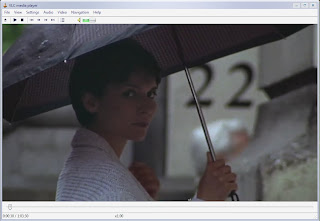
In order to see the difference in the last two versions, I have provided pictures. Below is a picture of VLC 0.8.6 on Windows Vista Beta 1.


Below is picture of VLC 0.9.2 running on Windows XP.


I have only used this player a little bit before I wrote this post. One of the feature that I like is visible only when playing DVDs in fullscreen. When doing so, the controls appear in the bottom center of the screen when the mouse is moved.

The following is a list of new features directly from the VLC website.

Interface

A new interface module based on the Qt toolkit has been added to VLC.

This new interface module has a few improvements on the old one:
· Simplified settings and dialogs
· Media library integration
· Album art displaying and metadata editing
· Live activation of Video and audio filters
· Basic encoding profiles
· Multiple start modes (classic, enhanced and minimalist)
· System tray icon and minimizing
· Fullscreen controller

Playlist

The playlist has been improved in many ways, in addition to the new Media Library (very simple so far, but will be extended in the future):
· Live Searching in the playlist,
· Youtube, Dailymotion, Google Video and similar services URL can be scripted in VLC to play directly those URLs,
· last.fm submission support,
· Album art support,
· Better metadata tagging reading and writing support for audio files.

Playback

A lot of new decoders, demuxers, and protocols have been added.

There are new codecs support, like Flash video variants, camcorder codecs (M2TS ones), Dirac, Atrac3, H.264 PAFF, APE audio, RealVideo, VC-3, Fraps and others, but also better decoding and better performance.

There are improvements in the demuxers and new supports (subtitles format rework with many new formats, Tivo2, OMA, MIDI support...).

Tag supports of audio files have vastly been improved(fix of APE, AAC, OGG tags,...)

This version also supports DVB windows devices (BDA), iSight Webcams, v4l2 on Linux and many other ones.

Filters

Many new audio and video filters have been added:
· New video filters like puzzle game, color extracting, sharpen, logo erasing, blue-screen and more have been added.
· New audio filters have introduced Replay Gain support, Faster/Slower audio playback with pitch correction and a spatializer.

Most video filters can now be streamed.
Developers
· libVLC has been rewritten and split and supports externally built plugins
· VLCKit, a Mac OS X Framework, enables external developers to develop applications around VLC.
· New bindings can be found on the wiki and the forums

Misc

A new update system, more secured, was developed for this release.

New localizations in Finnish, Persian, Polish, Punjabi, Bulgarian have joined the old ones.

Sunday, August 17, 2008

Free Comics!!!


I'm all into entertainment, tech, and old stuff. Thankfully, this blog post will bring all three things together.

I love comic books and I found a place to download comics for free. Golden Age Comics offers public domain comics for free download. When I say "public domain", I mean comics books on which the copyright has run out. Most of this comics were written and released in the thirties, forties, and some in the fifties.

There are many comic names that are now defunct like: Jo-Jo, Congo King, Blue Beetle, Cat-Man, Black Hood, Green Lama, Blue Bolt, Crime Clinic, the Flame, and Black Terror. There even some of the original Captain Marvel's that are copyright free.

Almost all of comic publishers are no longer around.

Here are a couple of tips about using the site. When you sign-up, you have to go to the forum to register. Your downloads are limited on how much you can download per day. You can download 1GB or 1,000 files, which ever comes first. The file size limit comes first because the files range from 5 to 50 mb.

The administrators keep a close eye on the legal status of the comics. They keep a list of what comics are public domain and which are still copyrighted. So there is not legal danger.

Download and enjoy comics without any worries.

Golden Age comics Homepage


Now, of course, you'll need a way to view and read the comics because the files that you download are in .cbr, .rar. and .zip formats. There are several special programs that you can use to open these files.

The best one that I found was ComicRack. I won't go into detail now, but ComicRack allows you to open and catalog you e-comics. The website says, "It is an all-in-one solution to read and manage your eComic library. You can think of it as iTunes for eComics with much of the same functionality."

Again have fun reading free comics.

ComicRack Homepage

Monday, August 11, 2008

Book trading and the web

I hate selling books online because I'm never sure what to set the price at so someone will buy it. Otherwise, the book sits there and never sells.

I have found a great alternative, it's called book swapping. There are many different book-swapping sites, but the one that I found and like is BookMooch. It is totally free to sign up and use. Other book-swapping sites are free, but leaning towards charging a fee. John Buckman, the founder, promises that they there will be no fee because there is not need for the site to make money.

The site works on a point system. Within the US, one book costs one point. If you order a book from a foreign country, it costs you two points and Bookmooch give the person a bonus point.

In order to get points, you need to add books to you inventory. Each book is work a 1/10 th of a point. Once you get a point, you can start mooching.

But a word of caution. Your account will be suspended after you mooch several books. The suspension will be lifted once you send out several books and the moochers acknowledge that they received your books.

Here are some statistics on BookMooch. Membership, which has grown to around 74,000 in over 90 countries, is open to anyone and is free. There is heavy community participation in its running and organisation. About 500,000 book titles are available and about 2000 books are swapped per day.

Again, it's great. Check it out.

Homepage

Wikipedia page

My Bookmooch page

Tuesday, July 29, 2008

Another Mac Clone Rises

Apple's lawsuit against Mac clone maker Psystar has not discouraged others. It was recently announced that there is a new company named Open Tech will be producing Mac clones. However, their take is slightly different than that of Psystar. Instead of coming pre-loaded with Max OS, Open Tech will sell computers with Ubuntu Linux, but the system will be totally Mac OS compatible. That means customers can buy the computers and then install Mac OS themselves.

I checked out the Open Tech website and was not impressed. The products are not out yet and the website is obviously in its infancy. The site does not even have its own domain, but is hosted by freewebs.com. You can take a look at it if you want, but I would not buy.

Homepage

Saturday, July 19, 2008

Apple flexes and stifles competition

apple_psystar_sued_lg

You may have heard that Apple recently filed a lawsuit against Psystar.  Psystar is a maker of Mac clones complete with Mac OS X.  They are being sued by Apple for disregarding and modifying the licenses for the Mac OS in computers that they sold.

Whether or not this is true, this new lawsuit is troubling, especially for Apple. 

Apple is famous for being totally proprietary.  This means that they don't let anyone make components or peripherals for their computers.  You can only get replacement parts from Apple. 

Then Psystar pops up offering Mac clones that cost a little over $500.  That is quite a bit less than similar Macs.  These computers have open components which make them much easier to fix.

This situation reminds me of the IBM PC.  When it first released their version of the PC, IBM had features that no other company had.  A group of techs got together and created a product that did the same thing.  The result was called Compaq.

Psystar is doing the same thing that Compaq did.  Apple should cut Psystar some slack and before they know it they will be selling more copies of Mac OS than ever before.

Related Posts Plugin for WordPress, Blogger...