Showing posts with label open source. Show all posts

Thursday, October 17, 2013

Transfer Files Securely to Your Android Device with FTP

The first thing that most people do after purchasing a tablet is to fill it with music, videos and such. While iOS devices can be very problematic in that department, Android devices are much easier to handle. The easiest method is to connect your Android device to your PC via USB and copy files using Windows Explorer (or any alternative). Another popular method is an app named AirDroid that allows you to manage your Android device remotely with your web browser. However, I've come across a better method: FTP (File Transfer Protocol).

To start, you need to install an FTP server on your Android tablet. The best one that I have come across so far it called primitive ftpd. You can get it from the F-Droid app catalog, which consists of Free and Open Source Software (FOSS). Here is the link to primitive ftpd on F-Droid.

Once you have installed primitive ftpd, you'll have to isntall an FTP program on your PC. The best program is FileZilla. Once you get that installed, you can change the username, password and port number in primitive ftpd. (I'd recommend doing this for security reasons.)

To move files, open the primitive ftpd app, press start, log into your tablet with Filezilla and get downloading and uploading.

Let me knowif this  is helpful.

Saturday, July 3, 2010

Does Open Source Security Make Sense?

    I have been thinking about open source software lately, especially security software, and I thought I would share my thoughts with you.

    First of all, let’s define what open source means.  Open source is the idea in technology, especially software, that says everyone should be able to see the source material used to create it.  This means that if a program is written and distributed as open source, anyone can get a hold of the source code that makes it run.  The idea behind this is that people can take this freely available source material and either build upon it to create their own program or merely improve the existing program.

    Okay, now let’s take a look at what open source means for your computer’s security, primarily anti-virus.  If the source code for an anti-virus program is available, it would be child’s play for a dedicated virus creator, who wants to create havoc, to acquire that code and use it to discover and exploit weaknesses in it.  To me, the whole idea seems seem akin to building a wall around your castle to protect you from an outside enemy and then posting the blueprints for that selfsame wall, complete with all the secret passages and weak points marked, where any invader can easily access them.

    I think the majority of people would and do agree with me on this.  Why?  Because almost all of the anti-virus programs on the market are close source, meaning only the company that created it has access to the code that makes it run.  Think about it.  The top anti-virus companies, Norton, McAfee, Panda, Trends Micro and Avira, all keep the source code for their programs under wraps, probably because they understand the risks.

Clam      In fact, there are very few open source.  One of the best known is  ClamAV.  However, I’m not sure how long this will continue.  It appears that a company called Sourcefire has acquired the trademarks and copyrights to ClamAV, so that may change too.

    In closing, don’t trust the security of your computer to a company who posts the blueprint of your castle for all to see.  You might just get bit.

    Please feel free to comment.

Saturday, January 17, 2009

Chrome vs. Everyone Else: The Long Haul


Google has a history of taking products that we have taken for granted and making them better. The latest example is Google's take on the browser, Chrome. With this new development, all the other browsers are going to have start praying.

First, lets take a history trip back to the beginning of the original browser wars. Netscape Navigator was the big browser. Microsoft released their Internet Explorer to compete with it. Before too long Internet Explorer was bundled with Microsoft Windows. Microsoft gained over 90% market share and Netscape faded into obscurity.

Out of the ashes of Netscape rose Firefox with the hope of challenging Microsoft's dominance. In a small way, they have been successful. Today Firefox controls about 20% of the market. However, Firefox is not bundled with any Windows based computers as far as I know. For most people, Internet Explorer come default on their computer and they don't use anything else.

Google may mix things up and change the way things are usually done. Not to long ago, it was announced that Google was making a deal with computer companies to get Chrome bundled as the default browser. This will probably take some money on Google's part, but they have enough do it. This would seriously threaten Internet Explorer's dominance.

Firefox also has reasons to fear Google. In 2008, Mozilla, creators of Firefox, reported income of $75 million. $66 million of that came from Google. Imagine what will happen when Google stops investing in Mozilla. This will cause Mozilla to fold up and die.

It looks as though Mozilla realizes what's going on. Recently, they made an announcement. The Russian localization of Firefox is switching from Google to a Russian search engine named Yandex. They say this search engine to better designed for Russian needs, but I think there is more to it than that.

Only time will tell, but I predict that Google will shut down Firefox and another browser war will erupt, this time between Microsoft and Google. I'm betting that Google, the younger company will win out.

Sunday, December 21, 2008

VLC Christmas Suprise

I recently downloaded the newest version of the open-source multi-media player VLC. I was watching the Great Raid last night and I noticed something interesting. VLC's icon, the yellow road work cone, has a Santa hat in it. I had not noticed before. I think that it must have been built into the code for Christmas.

Merry Christmas!

Wednesday, October 8, 2008

Digsby pulls ahead


As people spend more time on the web, they acquire new friends. The problem is that those friends are not connected by a single network. There are those who have MSN accounts, others use Yahoo, maybe some are limited to ICQ or Facebook. As a general rule, in order to communicate, you need to be part of each different system. At least, that used to be the case.

Recently, there have been some moves to unite the systems. Yahoo and MSN users can talk to each others. There have also been several attempts to write an open source program to connect. I have tried several of those programs and best one that I have seen so far is Digsby.

Digsby is a multiprotocol instant messaging application. It can connect to AIM, MSN, Yahoo, ICQ, Google Talk, Jabber, and Facebook Chat Accounts. Manage multiple conversations with tabbed conversation windows. You can drag tabs out into their own windows for important conversations. Rename contacts with an alias so you don't have to remember buddy names like 'giantsfan123'.

Digsby also helps with your email accounts. You can manage your Hotmail, Gmail, Yahoo Mail, AOL/AIM Mail, IMAP, and POP accounts right from digsby. You can get popup notifications when new email arrives. It will also show a list of recently received emails.

The main problems that I have with Digsby is that it loads an icon into the system tray for every system that you are connected to beside the Digsby icon. Another thing is that Digsby is still in beta, but they are publishing quite often.

If you have friends on many different systems, try Digsby. It has the widest amount of compatabillity and works the best of its competiors.

Download here...

Monday, September 15, 2008

VLC releases upgrade for media player

I apologize for not writing in a while. College has started up again and I am busy. Posts may come a little slower now.

VLC is widely known throughout geekdom as one of the best alternative to Windows Media Player. Today the VLC developers have done something momentous. They have released a new version. There is a whole slew of improvement including a redesign of the interface and many new codecs.

This release is also important becasue for the last year or more they have been working on one version, 0.8.6a to 0.8.6i.

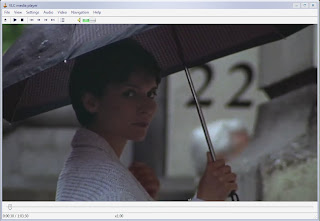
In order to see the difference in the last two versions, I have provided pictures. Below is a picture of VLC 0.8.6 on Windows Vista Beta 1.


Below is picture of VLC 0.9.2 running on Windows XP.


I have only used this player a little bit before I wrote this post. One of the feature that I like is visible only when playing DVDs in fullscreen. When doing so, the controls appear in the bottom center of the screen when the mouse is moved.

The following is a list of new features directly from the VLC website.

Interface

A new interface module based on the Qt toolkit has been added to VLC.

This new interface module has a few improvements on the old one:
· Simplified settings and dialogs
· Media library integration
· Album art displaying and metadata editing
· Live activation of Video and audio filters
· Basic encoding profiles
· Multiple start modes (classic, enhanced and minimalist)
· System tray icon and minimizing
· Fullscreen controller

Playlist

The playlist has been improved in many ways, in addition to the new Media Library (very simple so far, but will be extended in the future):
· Live Searching in the playlist,
· Youtube, Dailymotion, Google Video and similar services URL can be scripted in VLC to play directly those URLs,
· last.fm submission support,
· Album art support,
· Better metadata tagging reading and writing support for audio files.

Playback

A lot of new decoders, demuxers, and protocols have been added.

There are new codecs support, like Flash video variants, camcorder codecs (M2TS ones), Dirac, Atrac3, H.264 PAFF, APE audio, RealVideo, VC-3, Fraps and others, but also better decoding and better performance.

There are improvements in the demuxers and new supports (subtitles format rework with many new formats, Tivo2, OMA, MIDI support...).

Tag supports of audio files have vastly been improved(fix of APE, AAC, OGG tags,...)

This version also supports DVB windows devices (BDA), iSight Webcams, v4l2 on Linux and many other ones.

Filters

Many new audio and video filters have been added:
· New video filters like puzzle game, color extracting, sharpen, logo erasing, blue-screen and more have been added.
· New audio filters have introduced Replay Gain support, Faster/Slower audio playback with pitch correction and a spatializer.

Most video filters can now be streamed.
Developers
· libVLC has been rewritten and split and supports externally built plugins
· VLCKit, a Mac OS X Framework, enables external developers to develop applications around VLC.
· New bindings can be found on the wiki and the forums

Misc

A new update system, more secured, was developed for this release.

New localizations in Finnish, Persian, Polish, Punjabi, Bulgarian have joined the old ones.

Tuesday, July 29, 2008

Another Mac Clone Rises

Apple's lawsuit against Mac clone maker Psystar has not discouraged others. It was recently announced that there is a new company named Open Tech will be producing Mac clones. However, their take is slightly different than that of Psystar. Instead of coming pre-loaded with Max OS, Open Tech will sell computers with Ubuntu Linux, but the system will be totally Mac OS compatible. That means customers can buy the computers and then install Mac OS themselves.

I checked out the Open Tech website and was not impressed. The products are not out yet and the website is obviously in its infancy. The site does not even have its own domain, but is hosted by freewebs.com. You can take a look at it if you want, but I would not buy.

Homepage

Saturday, July 19, 2008

Apple flexes and stifles competition

apple_psystar_sued_lg

You may have heard that Apple recently filed a lawsuit against Psystar.  Psystar is a maker of Mac clones complete with Mac OS X.  They are being sued by Apple for disregarding and modifying the licenses for the Mac OS in computers that they sold.

Whether or not this is true, this new lawsuit is troubling, especially for Apple. 

Apple is famous for being totally proprietary.  This means that they don't let anyone make components or peripherals for their computers.  You can only get replacement parts from Apple. 

Then Psystar pops up offering Mac clones that cost a little over $500.  That is quite a bit less than similar Macs.  These computers have open components which make them much easier to fix.

This situation reminds me of the IBM PC.  When it first released their version of the PC, IBM had features that no other company had.  A group of techs got together and created a product that did the same thing.  The result was called Compaq.

Psystar is doing the same thing that Compaq did.  Apple should cut Psystar some slack and before they know it they will be selling more copies of Mac OS than ever before.

Saturday, July 12, 2008

Where has All the Space Gone?


Have you every wondered where all you disk space has gone? Hey, I just had 20GB of free space, now I only have 15. Where did all the space go?

Now you find out everything you need to know about what sized files are where.

WinDirStat is a disk usage statistics viewer and cleanup tool for Microsoft Windows (all current variants). WinDirStat reads the whole directory tree once and then presents it in three useful views: the directory list, which resembles the tree view of the Windows Explorer but is sorted by file/subtree size; the treemap, which shows the whole contents of the directory tree straight away; and the extension list, which serves as a legend and shows statistics about the file types.
I like it because it is a great way what files I can delete to make more room on my drive. It is a must download. It's also nice because the program is smaller one megabyte.

Homepage

Download page
Related Posts Plugin for WordPress, Blogger...