Have you ever been in a hurry to find a file? Ten minutes minutes before the meeting and you need to find the video clip you were going to show. If you use Windows, you would pull up Windows search, type in the title, and wait for it to search through all the files on your computer. Depending on how many files that you have, this may take quite a while.
There is a small, powerful alternative to Windows Search that will find what you are looking for in a matter of minutes. It is called Everything. This program is less than 400 kilobytes in size. It installs quickly and indexes you computer in a matter on minutes. Whenever you create an new file, the index is complete. It works on Windows 2000, XP, 2003, Vista, 2008 and 7. (Since Vista and 7 have an improved search function build into the Start Menu, it is ideal for any pre-Vista Windows OS.
One of the drawbacks of Everything is that it only searches the file and folder names, not their contents. But if you remember a little bit of the title, you can probably find it.
So, go ahead and use this tool. You can download Everything here: http://www.voidtools.com/.
Showing posts with label download. Show all posts
Showing posts with label download. Show all posts
Sunday, October 3, 2010


Sunday, July 18, 2010
Downloadable Media – the Future?
I am very reluctant to buy a game or movie that is download only. The reason? If I don’t like the game or movie, I want to be able to get rid of it. I do this in one of two ways. I sell it or trade it. When the item is downloadable, it is impossible for me to get rid of it or at least get some of my money back. I have only bought two download only games so far. One of them was only $5, so what the heck.
I’m more than a little bit gun shy about buying download only software for a very good reason: I’ve been burned. Several years ago, I downloaded and tried a very good download acceleration program. I liked it so much I paid $30 or so when the trial period ran out. The paid-for program worked for several weeks and then it told me that if I wanted to continue using it, I would have to buy it. After waiting some time trying to contact, I gave it up for lost.
The video game companies do not want you to buy used games. They are losing income because of used game sales, especially in the last few months of this year. In this economy, gamers are thinking, “Why should I spend $50 on a new games when I can get it for half price if I wait a little bit.”
Another thing about downloadable media, it has to be stored on your hard drive. There is no way I could have I have all my DVDs and games on my hard drive. Then again, the prices of external hard drives are falling at a pretty fast rate. You can get a 1 terabyte drive for about $100. This could store quite a few games and movies
Think economical. Buy used games and DVDs.
Comment below if you have had similar trouble with download-only media.
Tuesday, June 15, 2010
Tutorial: Creating and Burning an Image File
Creating an image file is the best way to copy and backup discs. (I am talking about discs that you have legal right to copy.") Here is a quick run through of how to create and burn an image file.
The first thing you need to do is download a good disc burning software. The best I know of it call ImgBurn. You can find and download it here: http://www.imgburn.com/.
Once you have downloaded and installed ImgBurn, open up the program either from the Start Menu or Desktop. Once it comes up, it will look a little intimidating for a first timer, but after using it a little while you will get a handle on it.

To start creating an image file, put the disc to be copied in you computer and click “Create image file from disc”.

Once the new screen comes up, check the contents of the “Destination” section to make sure the image file will go where you want it. (Ideally, you should put it on your C drive in a file names “image files.") Be sure to check and make sure that you have enough space on your C drive to do this. The size of the image file is on the right under “size”.

Once you have made sure that you have enough space, click large button on the lower left of the top window. The copy process will now start.

When it is finished, it will play a tune to let you know.

Now to burn the image file to a disc. Click “OK”. Now click “Mode” and select “Ez-Mode Picker”. This will return you to the main screen.

Now click “Write image to disc”.

In the new window, select the image file by click the file under the “Source” section.

Select and open the image. Insert the appropriate disc (CD or DVD) and click the button in the lower left of the top screen. (Make sure that “Verify” has been selected under “Destination”. This will ensure that you copy is correct." If it ejects that disc and pulls it back in, don’t worry. It is verifying the disc.)
Congratulations! You have finished burning the disc. To create another, click “OK” and click the burn button again after putting in a new disc or you can set how many disc you want to make.
If you have any questions, please leave a comment below.
Wednesday, June 9, 2010
Safari Now Has Extensions!!!
Yesterday at Apple’s annual Worldwide Developers Conference, Steve Jobs made several announcements, among them was Safari 5. While this seems small to most in comparison to the release of the iPhone 4G and other stuff, it is a big deal because it heralds a feature that Safari has been lacking and lagging behind the rest of the browsers. The big new feature is extensions. You can download the new version of Safari for Windows here.
Here is how to activate the extensions feature. After you have downloaded and installed Safari, click on the gear button on the top far right and click Preferences. Once the dialog box comes up, click the Advanced tab. Select the “Show Develop menu in menu bar” checkbox.

Close the Preference dialog box. Click the page picture next to the gear. For the menu click “Develop” and then “Enable Extensions”.


This extension feature is new and experimental, like I said, so Apple does not have a list of available extensions. However, you can find a few here. There are not many available because it is so new. Let me know in the comments if how know of any other place that has extensions for Safari. Have fun exploring.

Thursday, March 5, 2009
Update on Chrome Bundling
In a previous post, I predicted that Google would give Microsoft a run for it’s money by making deals to have the Chrome browser bundled with new computers. Today, news came out that Google is making some headway in that direction. Google Chrome is now bundled with Real Player. While this is a long way from being bundled with an operating system, it still shows a step in the right direction for Google.

Saturday, January 17, 2009
Chrome vs. Everyone Else: The Long Haul

Google has a history of taking products that we have taken for granted and making them better. The latest example is Google's take on the browser, Chrome. With this new development, all the other browsers are going to have start praying.
First, lets take a history trip back to the beginning of the original browser wars. Netscape Navigator was the big browser. Microsoft released their Internet Explorer to compete with it. Before too long Internet Explorer was bundled with Microsoft Windows. Microsoft gained over 90% market share and Netscape faded into obscurity.
 Out of the ashes of Netscape rose Firefox with the hope of challenging Microsoft's dominance. In a small way, they have been successful. Today Firefox controls about 20% of the market. However, Firefox is not bundled with any Windows based computers as far as I know. For most people, Internet Explorer come default on their computer and they don't use anything else.
Google may mix things up and change the way things are usually done. Not to long ago, it was announced that Google was making a deal with computer companies to get Chrome bundled as the default browser. This will probably take some money on Google's part, but they have enough do it. This would seriously threaten Internet Explorer's dominance.
 Firefox also has reasons to fear Google. In 2008, Mozilla, creators of Firefox, reported income of $75 million. $66 million of that came from Google. Imagine what will happen when Google stops investing in Mozilla. This will cause Mozilla to fold up and die.
It looks as though Mozilla realizes what's going on. Recently, they made an announcement. The Russian localization of Firefox is switching from Google to a Russian search engine named Yandex. They say this search engine to better designed for Russian needs, but I think there is more to it than that.
Only time will tell, but I predict that Google will shut down Firefox and another browser war will erupt, this time between Microsoft and Google. I'm betting that Google, the younger company will win out.
Sunday, December 21, 2008
VLC Christmas Suprise
I recently downloaded the newest version of the open-source multi-media player VLC. I was watching the Great Raid last night and I noticed something interesting. VLC's icon, the yellow road work cone, has a Santa hat in it. I had not noticed before. I think that it must have been built into the code for Christmas.
Merry Christmas!


Merry Christmas!


Wednesday, October 8, 2008
Digsby pulls ahead

As people spend more time on the web, they acquire new friends. The problem is that those friends are not connected by a single network. There are those who have MSN accounts, others use Yahoo, maybe some are limited to ICQ or Facebook. As a general rule, in order to communicate, you need to be part of each different system. At least, that used to be the case.
Recently, there have been some moves to unite the systems. Yahoo and MSN users can talk to each others. There have also been several attempts to write an open source program to connect. I have tried several of those programs and best one that I have seen so far is Digsby.
Digsby is a multiprotocol instant messaging application. It can connect to AIM, MSN, Yahoo, ICQ, Google Talk, Jabber, and Facebook Chat Accounts. Manage multiple conversations with tabbed conversation windows. You can drag tabs out into their own windows for important conversations. Rename contacts with an alias so you don't have to remember buddy names like 'giantsfan123'.
Digsby also helps with your email accounts. You can manage your Hotmail, Gmail, Yahoo Mail, AOL/AIM Mail, IMAP, and POP accounts right from digsby. You can get popup notifications when new email arrives. It will also show a list of recently received emails.
The main problems that I have with Digsby is that it loads an icon into the system tray for every system that you are connected to beside the Digsby icon. Another thing is that Digsby is still in beta, but they are publishing quite often.
If you have friends on many different systems, try Digsby. It has the widest amount of compatabillity and works the best of its competiors.
Download here...
Monday, September 15, 2008
VLC releases upgrade for media player
I apologize for not writing in a while. College has started up again and I am busy. Posts may come a little slower now.
VLC is widely known throughout geekdom as one of the best alternative to Windows Media Player. Today the VLC developers have done something momentous. They have released a new version. There is a whole slew of improvement including a redesign of the interface and many new codecs.
This release is also important becasue for the last year or more they have been working on one version, 0.8.6a to 0.8.6i.
In order to see the difference in the last two versions, I have provided pictures. Below is a picture of VLC 0.8.6 on Windows Vista Beta 1.
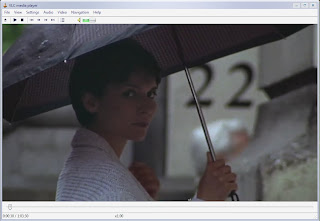
Below is picture of VLC 0.9.2 running on Windows XP.

I have only used this player a little bit before I wrote this post. One of the feature that I like is visible only when playing DVDs in fullscreen. When doing so, the controls appear in the bottom center of the screen when the mouse is moved.
The following is a list of new features directly from the VLC website.
Interface
A new interface module based on the Qt toolkit has been added to VLC.
This new interface module has a few improvements on the old one:
· Simplified settings and dialogs
· Media library integration
· Album art displaying and metadata editing
· Live activation of Video and audio filters
· Basic encoding profiles
· Multiple start modes (classic, enhanced and minimalist)
· System tray icon and minimizing
· Fullscreen controller
Playlist
The playlist has been improved in many ways, in addition to the new Media Library (very simple so far, but will be extended in the future):
· Live Searching in the playlist,
· Youtube, Dailymotion, Google Video and similar services URL can be scripted in VLC to play directly those URLs,
· last.fm submission support,
· Album art support,
· Better metadata tagging reading and writing support for audio files.
Playback
A lot of new decoders, demuxers, and protocols have been added.
There are new codecs support, like Flash video variants, camcorder codecs (M2TS ones), Dirac, Atrac3, H.264 PAFF, APE audio, RealVideo, VC-3, Fraps and others, but also better decoding and better performance.
There are improvements in the demuxers and new supports (subtitles format rework with many new formats, Tivo2, OMA, MIDI support...).
Tag supports of audio files have vastly been improved(fix of APE, AAC, OGG tags,...)
This version also supports DVB windows devices (BDA), iSight Webcams, v4l2 on Linux and many other ones.
Filters
Many new audio and video filters have been added:
· New video filters like puzzle game, color extracting, sharpen, logo erasing, blue-screen and more have been added.
· New audio filters have introduced Replay Gain support, Faster/Slower audio playback with pitch correction and a spatializer.
Most video filters can now be streamed.
Developers
· libVLC has been rewritten and split and supports externally built plugins
· VLCKit, a Mac OS X Framework, enables external developers to develop applications around VLC.
· New bindings can be found on the wiki and the forums
Misc
A new update system, more secured, was developed for this release.
New localizations in Finnish, Persian, Polish, Punjabi, Bulgarian have joined the old ones.
Sunday, August 17, 2008
Free Comics!!!

I'm all into entertainment, tech, and old stuff. Thankfully, this blog post will bring all three things together.
I love comic books and I found a place to download comics for free. Golden Age Comics offers public domain comics for free download. When I say "public domain", I mean comics books on which the copyright has run out. Most of this comics were written and released in the thirties, forties, and some in the fifties.
There are many comic names that are now defunct like: Jo-Jo, Congo King, Blue Beetle, Cat-Man, Black Hood, Green Lama, Blue Bolt, Crime Clinic, the Flame, and Black Terror. There even some of the original Captain Marvel's that are copyright free.
Almost all of comic publishers are no longer around.
Here are a couple of tips about using the site. When you sign-up, you have to go to the forum to register. Your downloads are limited on how much you can download per day. You can download 1GB or 1,000 files, which ever comes first. The file size limit comes first because the files range from 5 to 50 mb.
The administrators keep a close eye on the legal status of the comics. They keep a list of what comics are public domain and which are still copyrighted. So there is not legal danger.
Download and enjoy comics without any worries.
Golden Age comics Homepage
 Now, of course, you'll need a way to view and read the comics because the files that you download are in .cbr, .rar. and .zip formats. There are several special programs that you can use to open these files.
The best one that I found was ComicRack. I won't go into detail now, but ComicRack allows you to open and catalog you e-comics. The website says, "It is an all-in-one solution to read and manage your eComic library. You can think of it as iTunes for eComics with much of the same functionality."
Again have fun reading free comics.
ComicRack Homepage
Saturday, July 12, 2008
Where has All the Space Gone?

Have you every wondered where all you disk space has gone? Hey, I just had 20GB of free space, now I only have 15. Where did all the space go?
Now you find out everything you need to know about what sized files are where.
Homepage
Download page
I like it because it is a great way what files I can delete to make more room on my drive. It is a must download. It's also nice because the program is smaller one megabyte.
WinDirStat is a disk usage statistics viewer and cleanup tool for Microsoft Windows (all current variants). WinDirStat reads the whole directory tree once and then presents it in three useful views: the directory list, which resembles the tree view of the Windows Explorer but is sorted by file/subtree size; the treemap, which shows the whole contents of the directory tree straight away; and the extension list, which serves as a legend and shows statistics about the file types.
Homepage
Download page
Subscribe to:
Posts (Atom)
